Signal Review: Private Messaging and Calls for the Whole Family
Signal is a free messaging app for texts, voice calls, video calls, and group chats. Every message and call is end-to-end encrypted by default, which means only the people in the conversation can read or hear it. Not Signal, not your phone carrier, and not someone who breaks into a server. It is run by a nonprofit foundation, carries no ads, and its code is open source.
This review is part of our Privacy Toolkit. We reviewed Signal from its own support pages and blog and independent reporting, checked October 6, 2026. We don’t earn a commission from links in this review.
At a glance
- Best for: Family group chats, private conversations about health or money, and anyone who wants messaging without ads or data collection.
- Price: Free. Optional paid backup storage is $1.99 a month.
- Works on: iPhone, Android, and desktop apps for Windows, Mac, and Linux linked to your phone.
- Our verdict: Top pick for private messaging.
What Signal does well
- Encryption is always on. You don’t have to find a setting. One-to-one chats, groups, and calls are all protected.
- It collects very little. Signal is built to know as little as possible about who you talk to and what you say.
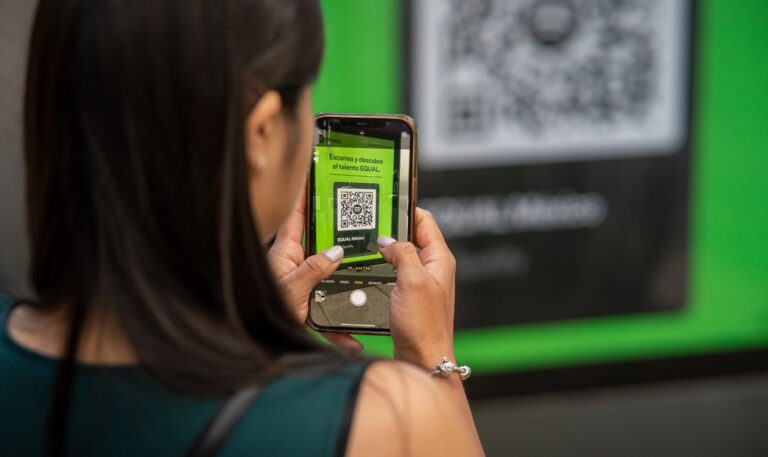
- You can hide your phone number. Your number is hidden from people you chat with unless they already have it saved. You can also set a username and share that, or a QR code or link, instead of your number. A setting called “Who can find me by number” lets you stop strangers from finding you by number at all.
- Disappearing messages. You can set chats to erase messages after a set time, from 30 seconds to four weeks, for everyone in the chat.
- Registration Lock. A Signal PIN can stop someone from re-registering your number on a new phone, a common account-takeover trick.
- Encrypted backups. Signal’s Secure Backups save your text history and the last 45 days of photos and files for free, or all your media up to 100 GB for $1.99 a month. Backups are protected by a 64-character recovery key that only you hold.
Where it falls short
- Your contacts have to use it too. Signal only helps when the other person also has Signal. Getting a family to switch is the hardest part.
- A phone number is still required to sign up, even if you never share it.
- It doesn’t replace regular texting. On iPhone and current Android versions, Signal doesn’t handle ordinary SMS texts, so you keep your normal messaging app too.
- Scammers can use it too. Encryption protects the message, not your judgment. Treat an unexpected Signal message asking for money exactly as you would a text.
- Lose the recovery key, lose the backup. Signal can’t recover it for you.
How to set up Signal
- Install Signal from the App Store or Google Play. The developer is Signal Messenger, LLC.
- Register with your phone number and type the code Signal texts you.
- Create a PIN and, in Settings, Account, turn on Registration Lock. Write the PIN down.
- Protect your number. In Settings, Privacy, Phone number, set “Who can see my number” to Nobody, and consider setting “Who can find me by number” to Nobody. Create a username in your profile to share instead.
- Turn on a default disappearing-message timer in Settings, Privacy, if you want chats to clear themselves.
- Set up Secure Backups in Settings, Backups. Save the 64-character recovery key on paper or in your password manager.
- Start a family group and invite everyone with a group link.
Tips for families and older adults
- Agree on a family code word and use the call-back rule: if anyone messages asking for money, call them on a number you already know. Signal protects messages; it can’t verify that a new contact is really your grandchild.
- Keep the PIN with the passwords. An older relative who forgets it can be locked out after changing phones.
- For teens, Signal has no parental controls. Talk about who they add rather than expecting the app to filter strangers.
Our recommendation
Install Signal for your family group chat and any conversation you would not want read by anyone else. Turn on Registration Lock, hide your number, and set up Secure Backups on day one. Keep your normal texting app for everyone else.
FAQ
Is Signal more private than WhatsApp?
Both encrypt message content. Signal is run by a nonprofit and is designed to collect far less information about who you talk to and when.
Can Signal read my messages?
No. Messages are encrypted on your phone and can only be decrypted on the recipient’s device.
What happens if I get a new phone?
Use Signal’s transfer option while you still have the old phone, or restore from Secure Backups with your recovery key.
Sources
- Signal Support, “Phone Number Privacy and Usernames Deeper Dive,” support.signal.org, accessed October 6, 2026.
- Signal, “Keep your phone number private with Signal usernames,” signal.org/blog, February 2024.
- TechCrunch, “Signal introduces free and paid backup plans for your chats,” September 8, 2025.
Photo: Ron Lach via Pexels. Pexels License.
This review is general information, not legal advice. Menu names can change between app versions.