Fake Online Stores and Social Media Shopping Scams: How to Check a Seller Before You Buy
A fake online store looks like a real shop: nice photos, big discounts, a checkout page and maybe even reviews. But after you pay, nothing arrives, or you get a cheap knock-off that looks nothing like the picture. Many of these stores find shoppers through ads in social media feeds, which is why a deal that seemed to come from a brand you follow can still be a scam.
The FTC says anyone can pay to place an ad in your social media feed, and a paid placement doesn’t mean the business was checked. This guide shows how to check a seller in a few minutes before you buy, and what to do if an order goes wrong. The advice below was checked against FTC consumer advice on October 12, 2026.
How fake store scams usually work
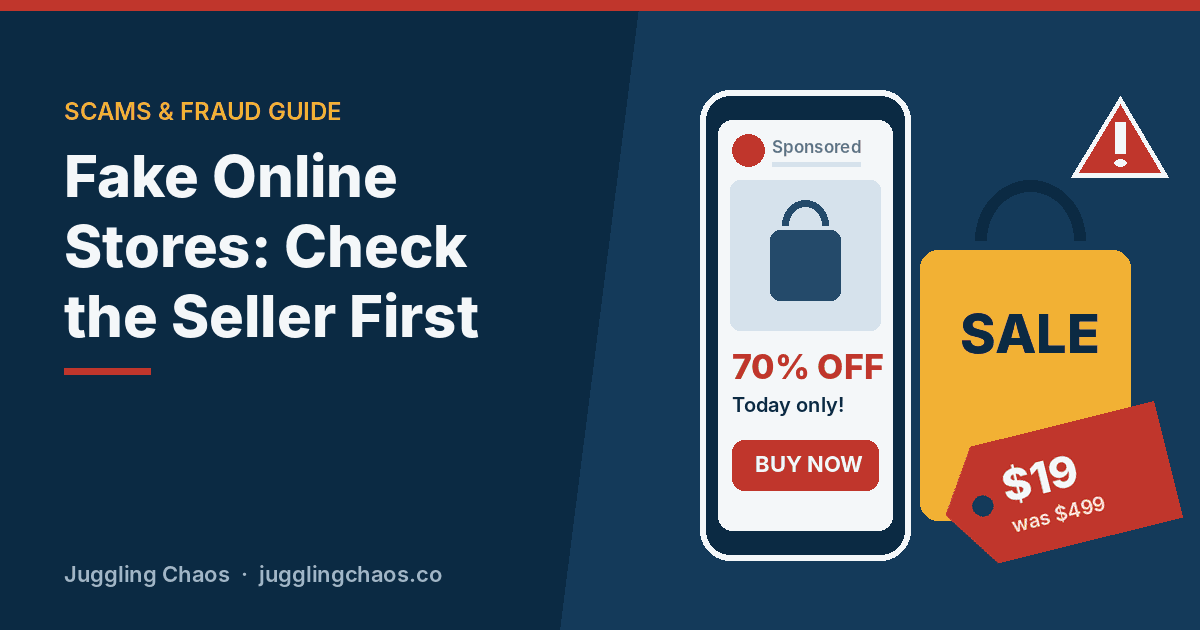
- A too-good deal in your feed. A designer bag at half price, a popular gadget at 70% off, or a “closing down sale” from a brand you know. The FTC’s own example is a dream bag “50% off for a limited time only.”
- A copycat website. The site borrows a real brand’s logo and photos, with a web address that is close but not quite right.
- A countdown timer or “only 3 left.” Pressure to buy before you look closer.
- Odd payment requests. A discount if you pay by payment app, wire transfer, gift card or cryptocurrency instead of a card.
- Silence after you pay. Tracking numbers that never update, emails that bounce, or a cheap substitute in the mail and no way to return it.
Warning signs of a fake store
- The price is far below what everyone else charges. Big brands rarely sell new products at 60 to 80 percent off.
- The web address doesn’t match the brand, or adds extra words like “outlet,” “sale” or “official-store,” or ends in an unusual domain.
- There’s no real contact information. No phone number, no street address, or only a contact form.
- The return policy is missing, vague, or says you pay to ship back overseas.
- The reviews look copied or too perfect, or you can’t find the store mentioned anywhere outside its own site and ads.
- The site wants payment that is hard to undo, such as a payment app, wire transfer, gift card or crypto.
A five-minute check before you buy
- Search the store’s name plus “scam” or “complaint.” The FTC recommends this step. If other shoppers had trouble, you’ll often find out quickly.
- Go to the brand directly. Type the brand’s web address yourself or open its official app. If the deal is real, it will be there too.
- Read reviews from several places, not just the store’s own page, and don’t rely on star ratings alone. Fake reviews can be positive or negative.
- Check the total price with shipping, taxes and fees, and read the fine print for words like “refurbished” or “close-out.”
- Read the return policy before you pay: how many days, who pays return shipping, and whether there is a restocking fee.
- Pay with a credit card. The FTC says paying by credit card best protects you if there’s a scam or a problem with the order. Never pay only by gift card, wire transfer, payment app or cryptocurrency.
A padlock or “https” in the address bar only means the connection is encrypted. Scam sites can have one too, so it isn’t proof a store is real.
Keep a record of every order
Save a screenshot or email of the order page, the price, the promised delivery date and the return policy, plus any messages with the seller. If something goes wrong, these records make a card dispute much easier.
Your rights when an order doesn’t arrive
- Shipping promises count. An FTC rule requires sellers to ship items as promised in their ads. If no time was promised, they must ship within 30 days after getting your order.
- Disputing a card charge. If you paid by credit card and never got the item, or got the wrong or defective item, call your card company right away and follow up in writing. The FTC says to send the letter within 60 days of the date the first bill showing the error was mailed to you.
- Debit cards and payment apps have weaker protections. Contact your bank or the app’s support right away and ask about fraud protection.
If you already bought from a fake store
- Paid by credit or debit card: call the number on the back of your card, explain it was a fake store, and ask to dispute the charge and get a new card.
- Paid by payment app or bank transfer: report it in the app and call your bank. Ask if the payment can be reversed.
- Paid by gift card: call the company that issued the card and ask for a refund. See Report Gift Cards Used in a Scam.
- Created an account with a password: change that password anywhere else you used it.
- Report the ad on the social media platform where you saw it, and report the scam at ReportFraud.ftc.gov.
Watch for follow-up messages offering to recover your money for a fee. That is another scam. See Refund and Settlement Scams.
Fake delivery messages during busy shopping seasons
When you’re waiting on packages, a text or email about a “delivery problem” feels believable. Don’t use the link. Check tracking in the store’s app or on the shipping company’s website by typing the address yourself. Our Scam Texts guide covers these messages in detail.
Helping an older parent shop online
- Bookmark the stores they already trust on their phone or computer, so they shop from those links rather than ads.
- Suggest one credit card for online shopping, with purchase alerts turned on.
- Agree on a simple rule: “If an ad has a huge discount from a brand, we check the brand’s own site first.”
- Offer to look at any new store with them before they pay. A quick screenshot sent to you is enough.
Checklist
- Search any new store’s name with “scam” or “complaint” before buying.
- Buy deals from ads only after finding them on the brand’s own site.
- Pay online with a credit card, never with gift cards, wires, payment apps or crypto for a new seller.
- Save the order page, return policy and receipts.
- Card purchase alerts are on, and ReportFraud.ftc.gov is saved.
FAQ
The ad was on Facebook or Instagram. Doesn’t the platform check advertisers?
Not always thoroughly. The FTC warns that platforms don’t always vet ads or advertisers, and anyone can pay to place one. Treat an ad as a lead to check, not a recommendation.
The store has thousands of good reviews. Is it safe?
Not necessarily. Reviews can be faked or copied from a real store. Look for reviews on independent sites and search for complaints.
What if I received a cheap copy instead of what I ordered?
Contact the seller first and keep a record. If they don’t fix it and you paid by credit card, dispute the charge with your card company, then report the store to the FTC.
Is it safe to shop on a site I’ve never heard of?
It can be, but do the five-minute check first and pay with a credit card. Small shops are often real. What matters is a working contact, a clear return policy, and a history other shoppers can confirm.
Related guides
- Hidden Fees: How to Spot Charges You Never Agreed To
- How Scammers Tell You to Pay (FTC Video Guide)
- Gift Cards Are Only for Gifts
Sources
- Federal Trade Commission, “Online Shopping,” consumer.ftc.gov, accessed October 12, 2026.
- Federal Trade Commission, “Are ads on social media vetted or checked for scams? Here’s what to know,” consumer.ftc.gov, accessed October 12, 2026.
This is general information, not legal or financial advice. If you lost money, contact your bank or payment provider right away and report the scam at ReportFraud.ftc.gov.
Get one safety checklist a month
Juggling Chaos Monthly is free: one 15-minute checklist, one scam warning sign, and our newest guides. Sign up on the newsletter page.
Juggling Chaos will never ask for a password, payment, gift card, or verification code. Guides are general information, not legal or financial advice; see our Disclaimer and Terms and Editorial Policy.