QR Code Scams: How to Scan Safely at Parking Meters, in Your Mail and Online
A QR code scam uses one of those square black-and-white codes to send you to a fake website. Scammers stick their own code over a real one on a parking meter, or send a code in a text, email or letter with a reason to scan it right away. The fake page then asks for your card number, a password, or other personal information. Security people sometimes call this “quishing,” a mix of QR and phishing.
QR codes are now everywhere: restaurant menus, parking, package slips, bills and posters. Most of them are fine. This guide shows how to tell when one isn’t, and what to do if you already scanned. The advice below was checked against FTC consumer advice on October 12, 2026.
Where scam QR codes show up
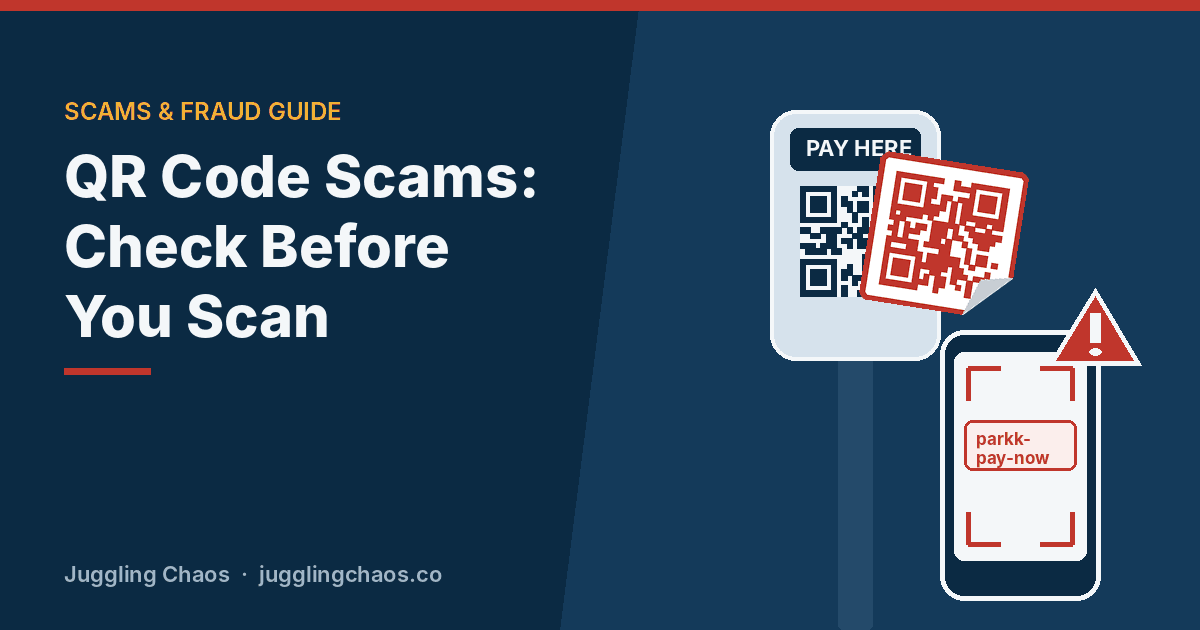
- Parking meters and pay stations. The FTC has reported scammers covering real QR codes on parking meters with their own. You think you are paying for parking, but your card number goes to the scammer.
- Texts and emails. A message says a package couldn’t be delivered, your account has a problem, or there was suspicious activity, and gives you a code to scan to “fix” it.
- Letters and notices. A mailed bill, fine or “final notice” with a QR code to pay. Scammers like codes because you can’t read a code the way you can read a web address.
- Flyers and posters. Codes on stickers in public places such as bus stops, gas pumps, EV chargers and restaurant tables.
- Unexpected packages. A box you didn’t order with a QR code inside telling you to scan it to find out who sent it.
Warning signs
- It’s a sticker on top of something. On a meter or sign, a code that is peeling, crooked, or stuck over another code is a red flag.
- You didn’t expect it. A code that arrives in a text or email you weren’t waiting for deserves the same suspicion as a link.
- It pushes you to act now. “Pay today to avoid a fine.” “Scan within 24 hours or your account will be closed.” Urgency is there to stop you from checking.
- The web address looks off. When your phone shows the link, look for misspellings, swapped letters, extra words, or a name that doesn’t match the city, store or company.
- It asks for more than it should. A parking page that wants your Social Security number, or a “menu” that asks you to log in or download an app.
How to scan a QR code safely
- Look before you scan. Check whether the code is printed on the sign or meter itself, or stuck on top. If it’s a sticker, skip it.
- Read the preview. Most phone cameras show the web address before opening it. The FTC advises checking it for misspellings or switched letters before you tap.
- Use the official app or website instead. For parking, tolls, bills and accounts, open the app you already use or type the web address yourself. The meter or sign usually lists the official app name or a zone number you can enter there.
- Don’t scan codes from unexpected messages. If the message might be real, contact the company using a phone number or website you know is real.
- Never download an app from a QR code you didn’t expect. Get apps only from your phone’s official app store.
- Keep your phone updated and use strong passwords and two-step sign-in on important accounts.
Paying for parking without a QR code
Parking is where most people run into QR code trouble, often in a hurry. A few habits help:
- Before a trip, look up the city’s official parking app or payment page and save it.
- Pay with the meter’s card reader or coins when you can.
- If a sign shows a phone number or a short web address next to the code, use that instead.
- If a code looks tampered with, tell the city or parking operator so they can remove it.
If you already scanned a bad code
Scanning alone usually does less harm than what you enter afterward. Work through what applies:
- You only opened the page: close it. Don’t enter anything or contact anyone on the site.
- You entered a card number: call the number on the back of your card, report the fraud, and ask for a new card. Watch your statements for charges you don’t recognize.
- You entered a password: change it right away, and change it anywhere else you used the same one. Turn on two-step sign-in. See Hacked Email: What to Do.
- You installed an app: delete it, update your phone, and restart it. If the phone acts strangely, ask your carrier or the phone maker’s store for help.
- You gave your Social Security number: go to IdentityTheft.gov for a recovery plan and consider a credit freeze.
- You paid a fake parking or toll page: dispute the charge with your card company, then pay the real meter or account so you don’t get a ticket.
Report the scam at ReportFraud.ftc.gov.
Helping an older parent with QR codes
- Show them where the web address appears when they point the camera at a code, and practice reading it together.
- Set up the parking, toll or pharmacy apps they actually use, so they never need a code for those.
- Agree on a simple rule: “If a code comes in a text, email or letter we didn’t expect, we don’t scan it. We call the company.”
- Offer to be the person they send a photo of any odd code or letter to before they act.
Checklist
- Everyone checks the web address preview before opening a QR code.
- Parking, toll and bill-pay apps are installed from the official app store.
- Nobody scans codes from unexpected texts, emails or letters.
- Phones are up to date, and important accounts have two-step sign-in.
- ReportFraud.ftc.gov is saved.
FAQ
Are QR codes on restaurant menus safe?
Usually. A code printed on the menu or table card by the restaurant is low risk. Be wary if the code is a loose sticker, or if the page asks you to log in, enter a card number before you order, or install an app.
Can scanning a QR code hack my phone?
Scanning just opens a web address. The risk comes from what that page gets you to do: enter information, pay, or install something. Keeping your phone updated protects against most other problems.
Is there a QR scanner app that blocks scams?
Your phone’s built-in camera already shows the link before opening it, which is the most important check. Be careful with third-party scanner apps, which can show heavy ads or collect data.
I got a package I didn’t order with a QR code inside. What should I do?
Don’t scan it. The FTC warns that some “brushing” packages, sent by sellers who post fake reviews in your name, include a note with a QR code that leads to a phishing site. You don’t have to return or pay for things you didn’t order, but be cautious about using an item when you don’t know who sent it. Change the passwords on your online shopping accounts, check your credit reports, and report it at ReportFraud.ftc.gov.
Related guides
- Scam Texts: How to Spot a Fake Text Message
- Phishing, Malware, and Ransomware: What’s the Difference?
- Imposter Scams: How to Spot Someone Pretending to Be an Agency or a Company You Trust
Sources
- Federal Trade Commission, “See a QR code parked somewhere? Don’t scan it…yet!,” consumer.ftc.gov, accessed October 12, 2026.
- Federal Trade Commission, “That unexpected package you got could be a brushing scam,” consumer.ftc.gov, accessed October 12, 2026.
- Federal Trade Commission, “Scammers hide harmful links in QR codes to steal your information,” consumer.ftc.gov, accessed October 12, 2026.
This is general information, not legal or financial advice. If you lost money, contact your bank or payment provider right away and report the scam at ReportFraud.ftc.gov.
Get one safety checklist a month
Juggling Chaos Monthly is free: one 15-minute checklist, one scam warning sign, and our newest guides. Sign up on the newsletter page.
Juggling Chaos will never ask for a password, payment, gift card, or verification code. Guides are general information, not legal or financial advice; see our Disclaimer and Terms and Editorial Policy.