Why Kids Overshare Online, and How to Talk About It
A school uniform in a selfie. A birthday post with the date and a cake. A “get ready with me” video filmed in a bedroom with the street visible through the window. Kids and teens rarely think of these as sharing personal information, but together they can tell a stranger a lot. Telling kids “don’t post personal stuff” rarely works on its own. Understanding why they share makes the conversation easier.
This article explains why kids overshare, what’s actually risky, and how to talk about it without starting a fight. It draws on the Federal Trade Commission’s (FTC) Net Cetera guide for parents and its children’s privacy guidance, checked on November 9, 2026.
Why kids overshare
Sharing is how they connect
For many kids, posting and messaging is how friendships happen. Being visible, responding quickly and sharing what you’re doing are part of belonging. Asking them to stop sharing can sound like asking them to stop having friends.
Apps are designed to encourage it
Streaks, likes, location features, “add your school” prompts and public-by-default settings all reward sharing more. The FTC notes that apps may collect and share personal information, and may not make that clear.
The audience feels small
Kids often picture their friends as the audience, not the wider internet. Posts can be screenshotted, forwarded and saved, and “disappearing” content doesn’t always disappear.
Developing brains weigh risks differently
Tweens and teens are still developing the ability to weigh long-term consequences against immediate rewards. That’s normal, not a character flaw, and it’s why habits and settings help more than lectures.
Trust comes quickly online
Someone who shares a game, a fandom or a problem can feel like a friend within days. That’s what makes oversharing with strangers risky. See online grooming warning signs.
What’s actually risky to share
The FTC’s Net Cetera guide describes oversharing as sharing too much information, or posting pictures, videos or words that can damage a reputation or hurt someone’s feelings. In practice, the details that matter most are:
- Location clues: school name or uniform, home street, regular hangouts, live location and real-time check-ins.
- Identity details: full name with birthdate, phone number, and answers to common security questions like pet names.
- Images that can be misused: anything they wouldn’t want a stranger, school or future employer to see. Intimate images carry the most serious risks. See sextortion: what parents need to know.
- Family information: travel plans, when the house is empty, and family members’ names, which scammers can use in family emergency scams.
How to talk about it
- Start with curiosity. Ask what apps they use, what they like about them, and who they talk to. The FTC encourages parents to start early and keep talking.
- Use examples, not rules. Look at a public post together (a celebrity’s or your own) and play detective: what could a stranger work out from it?
- Share your own mistakes. Admitting you once posted something you regret makes it easier for them to come to you.
- Focus on “who could see this?” A simple question before posting: would I be fine if a stranger, my teacher or my grandparent saw this?
- Promise calm. Make it clear they can tell you if something goes wrong without losing their phone. Fear of punishment is one of the main reasons kids hide problems.
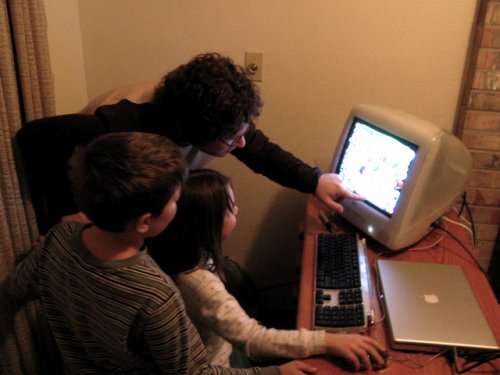
- Set up privacy settings together. Doing it side by side teaches more than doing it for them.
Settings that reduce the risk
- Make accounts private and limit who can message, comment and tag.
- Turn off location sharing in apps, and remove location from photos. See Teen Privacy and Location Sharing.
- Review app permissions for camera, microphone, contacts and location.
- Use the platform’s parental or family tools for younger kids. Our App and Game Guides walk through popular platforms.
- Try new apps yourself before letting younger kids use them, as the FTC suggests.
What the law covers, and what it doesn’t
The Children’s Online Privacy Protection Act (COPPA) requires many sites and apps aimed at children under 13 to get parental consent before collecting personal information from them. It helps, but it doesn’t stop kids from sharing information publicly themselves, and it doesn’t cover teens 13 and over. Conversations and settings still do most of the work.
FAQ
At what age should I start talking about oversharing?
As soon as they use any device that connects to other people, including games with chat. Keep it simple for young kids and add detail as they grow. Our ages 11 to 13 and ages 14 to 16 guides have age-specific tips.
Should I post about my kids?
It’s your choice, but the same rules apply: avoid location clues, full names with birthdates, and photos your child might not want public later. Asking older kids before posting about them models the respect you want them to show others.
My teen already overshared. What now?
Stay calm, help delete or restrict the post, and check privacy settings together. If someone is threatening or pressuring them, save evidence, block and report. For images, see our sextortion guide.
Related reading
- Who Can See a Shared Photo Album?
- First Phone Checklist
- Family Location Sharing: What It Shows
- AI Chatbots and Companions: What Parents Should Know
- Family Safety: Start Here
Sources
- Federal Trade Commission, “Net Cetera: Chatting with Kids About Being Online,” consumer.ftc.gov, accessed November 9, 2026.
- Federal Trade Commission, “Kids’ Privacy (COPPA),” ftc.gov, accessed November 9, 2026.
- Federal Trade Commission, “Children’s Online Privacy Protection Act,” ftc.gov, accessed November 9, 2026.
This is general information, not legal advice. If a child is in danger, call 911. To report child exploitation, contact the NCMEC CyberTipline at report.cybertip.org.
Get one safety checklist a month
Juggling Chaos Monthly is free: one 15-minute checklist, one scam warning sign, and our newest guides. Sign up on the newsletter page.
Juggling Chaos will never ask for a password, payment, gift card, or verification code. Articles are general information, not legal or financial advice; see our Disclaimer and Terms and Editorial Policy.
Where this information comes from: This article is built from official sources, such as U.S. government consumer agencies, published research and the companies’ own help pages, linked in the article where they are used. I looked it over myself before publishing. I’m not a lawyer or a security professional; like many parents and caregivers, I’m learning as I go, so check the official source before a big decision. How these articles are made.