Fake Government and Bill-Pay Sites: How to Find the Real One
When you search online for “renew passport,” “birth certificate,” “pay water bill” or “Social Security card,” the first results are often paid ads. Some of those ads lead to private websites dressed up to look like a government office or your utility company. They charge extra fees for things you could do yourself for less, or for free, and they collect your personal information along the way. Others post fake “customer service” or “bill pay” phone numbers that connect you to someone who wants your money or your account details.
This guide is for anyone who handles official paperwork or pays bills online, and for family members who help an older parent do the same. It explains how these lookalike sites work, how to find the real office, and what to do if you already paid one. The advice below was checked against the Federal Trade Commission, the U.S. Department of State, USA.gov and the Social Security Administration on October 23, 2026.
Where lookalike sites show up
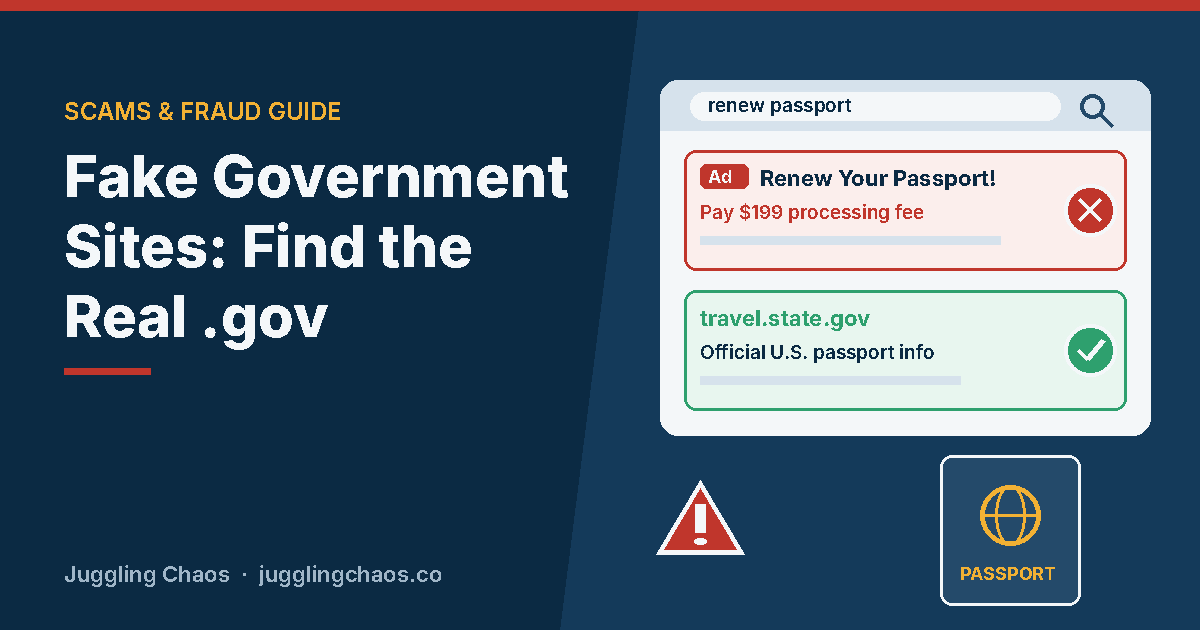
- Paid search ads. The FTC warns that companies can buy search ads that put their link at the top of the results, where it can look like the real company’s site. When you go to pay, the site may add fees you didn’t expect.
- Passport renewals. The State Department says other websites or companies claiming you can renew your passport online may be fraudulent, charge extra fees and put your personal data at risk. Even a company with “Gov” in its name is not authorized to process online renewals.
- Social Security cards. The Social Security Administration’s Office of the Inspector General notes that many websites offer card services for a fee. You are not required to use them. Social Security replaces cards for free.
- Vital records and licenses. Birth, death and marriage certificates come from state or territory vital records offices, and licenses come from your state’s motor vehicle agency. Private sites may stand between you and that office and add their own charges.
- Fake customer service numbers. The FTC has warned that some scammers place fake customer service contact information for well-known companies in search results. They then ask for money, personal information or remote access to your computer.
- Social media ads. The FTC notes that platforms don’t always thoroughly check the ads they run or the advertisers behind them, so an ad is not proof that a business is real.
Warning signs
- The link was labeled as an ad or sponsored result. Someone paid to be there, and it may not be the office or company you searched for.
- The web address doesn’t end in .gov. USA.gov explains that a .gov website belongs to an official government organization in the United States. An official-sounding name that ends in .com or .org belongs to a private business.
- “Gov” appears in the name, not the ending. A site with “Gov,” “Federal” or “Official” in its name is not a government site just because of its name.
- There’s a “processing,” “service” or “filing” fee on top of the official fee. Or there’s a charge for something that should be free, such as a blank form, a Social Security card, or a passport agency appointment.
- A “bill pay” number asks you to pay in an odd way. The FTC says your utility company won’t ask you to pay by wire transfer, cryptocurrency, payment app or gift card. Anyone who insists you pay one of those ways is a scammer.
- The person on the phone wants remote access, a password or a gift card. The FTC says no legitimate company will ask you to send gift cards or wire money.
How to find the real site or number
- Scroll past the ads. The FTC advises scrolling past paid search results to confirm you have the correct website or contact information.
- Type the address yourself. If you know the official web address, type it directly into your browser instead of clicking a search result. Bookmark it.
- Use the number on your bill or card. For utilities, banks and card companies, the phone number on your paper bill, statement or the back of your card is the safest one to call.
- Start at USA.gov. It links to official services, including a directory of state motor vehicle agencies, guidance on getting copies of vital records and ID cards, and a free benefit finder. A few state agencies listed there use web addresses that don’t end in .gov, so following USA.gov’s link is safer than guessing.
- Read the total before you pay. Compare the fee on the page with the official fee listed on the agency’s own site. If the numbers don’t match, stop.
Official places for common tasks
- Passport renewal online: the State Department says the only official, authorized place to renew a U.S. passport online is opr.travel.state.gov. Its Renew Your Passport Online page lists who qualifies and the official fees. The Department also says it does not charge a fee to make passport agency appointments, and a request to pay for one should be treated as fraudulent.
- Birth certificates and other vital records: USA.gov says to contact the vital records office of the state or territory where you were born. The CDC’s Where to Write for Vital Records lists each office. The federal government does not issue these certificates itself.
- Social Security cards: you can request a free replacement card from Social Security, often online through a my Social Security account, or by calling 1-800-772-1213.
- Benefits and grants: use USA.gov’s benefit finder. The FTC says government agencies that award grants will not demand that you pay to get a grant.
Paying bills without landing on a fake page
Paying a bill feels routine, which is why lookalikes work. A few habits help:
- Log in through the company’s own app or a bookmarked web address, not a search result.
- Set up automatic payments directly with the utility, lender or card company, or through your own bank’s bill-pay service.
- Keep a short list of your providers’ real phone numbers, copied from your bills, by the phone or in your contacts.
- If a call, text or email threatens a shutoff unless you pay right now, hang up or ignore it. The FTC advises contacting your utility using the number on your bill or the company’s website.
If you already used a lookalike site
Some of these sites charge high fees rather than steal outright, but the steps are similar. Work through what applies:
- You paid by credit card: the FTC advises reporting it to your card issuer right away, using the number on the back of the card, and asking for your money back.
- You paid by debit card or bank transfer: contact your bank or credit union right away and ask them to reverse the payment.
- You paid with a payment app or gift card: report it to the app or the gift card company right away, explain you were tricked, and ask for a refund. Keep the card and receipt.
- You gave your Social Security number: go to IdentityTheft.gov for a recovery plan, and consider a credit freeze.
- You gave a password or account number: change the password, and change it anywhere else you used it. Turn on two-step sign-in. Call your bank using a number you know is real.
- Your application may not have been filed: check with the real agency. If nothing was filed, apply through the official site.
- You paid the wrong company for a bill: contact your real provider to confirm your balance and pay them directly so your account stays current.
Report the site or number at ReportFraud.ftc.gov. For Social Security scams, report at ssa.gov/scam. USA.gov’s scam reporting tool can point you to the right agency for anything else.
Helping an older parent with official websites and bill pay
- Sit down together and bookmark the real sites they use: their utilities, bank, Social Security account and state motor vehicle agency.
- Write the phone numbers from their actual bills and cards on one sheet and keep it near the phone.
- Agree on a simple rule: “We don’t pay a bill or fill out a government form from a search result. We start from the bookmark or the bill.”
- Remind them that free help is available. USAGov representatives answer questions at 1-844-USAGOV1 (1-844-872-4681), and Social Security is at 1-800-772-1213.
Checklist
- Official sites for bills and government services are bookmarked.
- Real phone numbers come from bills, statements and the backs of cards, not search results.
- Everyone checks for .gov, or follows USA.gov’s link, before entering personal information.
- Nobody pays an extra “processing” fee without comparing it to the agency’s official fee.
- ReportFraud.ftc.gov and IdentityTheft.gov are saved.
FAQ
Are all third-party government service sites illegal?
Not always. Some private companies legally charge to help with forms. The problem is when a site makes you think it is the government, hides its fees, or charges for something free. For a Social Security card, the agency’s Inspector General says you are not required to use a paid service.
If a website ends in .gov, is it always safe?
A .gov address belongs to an official government organization in the United States, so it is a strong sign you are in the right place. Still check that it is the agency you meant, and that the address uses https. Be careful with lookalike names that include “gov” somewhere other than the ending.
Can I get my money back from a site that charged extra fees?
Possibly. Contact your card company or bank quickly, explain what happened, and ask for a refund. Then report it at ReportFraud.ftc.gov.
I found my utility’s phone number through a search. How do I know it’s real?
Compare it to the number printed on your bill or shown when you log in to your account through a bookmarked site. If they don’t match, use the one from the bill. The FTC notes that paid ads at the top of search results may be dishonest businesses posing as the utility.
Related guides
- Imposter Scams: How to Spot Someone Pretending to Be an Agency or a Company You Trust
- Hidden Fees: How to Spot Charges You Never Agreed To
- Fake Online Stores and Social Media Shopping Scams
Sources
- Federal Trade Commission, “Searching online: bill pay impersonators,” consumer.ftc.gov, accessed October 23, 2026.
- Federal Trade Commission, “Are ads on social media vetted or checked for scams? Here’s what to know,” consumer.ftc.gov, accessed October 23, 2026.
- Federal Trade Commission, “Scammers and ‘customer service’: another imposter scam,” consumer.ftc.gov, accessed October 23, 2026.
- Federal Trade Commission, “Scammers Pretend To Be Your Utility Company,” consumer.ftc.gov, accessed October 23, 2026.
- Federal Trade Commission, “How To Avoid a Government Impersonation Scam,” consumer.ftc.gov, accessed October 23, 2026.
- Federal Trade Commission, “How to avoid government grant scams that offer free money for personal expenses,” consumer.ftc.gov, accessed October 23, 2026.
- Federal Trade Commission, “What To Do if You Were Scammed,” consumer.ftc.gov, accessed October 23, 2026.
- U.S. Department of State, “Renew Your Passport Online,” travel.state.gov, accessed October 23, 2026.
- U.S. Department of State, passport resources (appointment fees notice), travel.state.gov, accessed October 23, 2026.
- USAGov, “Imposter scams,” usa.gov, accessed October 23, 2026.
- USAGov, “Scams and fraud,” usa.gov, accessed October 23, 2026.
- USAGov, “How to get a certified copy of a U.S. birth certificate,” usa.gov, accessed October 23, 2026.
- USAGov, “State motor vehicle services,” usa.gov, accessed October 23, 2026.
- USAGov, “Avoid ‘free money’ from the government scams,” usa.gov, accessed October 23, 2026.
- Social Security Administration Office of the Inspector General, “SSA Provides New and Replacement Social Security Cards for FREE!,” oig.ssa.gov, accessed October 23, 2026.
- Social Security Administration, “Replace Social Security card,” ssa.gov, accessed October 23, 2026.
- Centers for Disease Control and Prevention, “Where to Write for Vital Records,” cdc.gov, accessed October 23, 2026.
This is general information, not legal or financial advice. If you lost money, contact your bank or payment provider right away and report the scam at ReportFraud.ftc.gov.
Get one safety checklist a month
Juggling Chaos Monthly is free: one 15-minute checklist, one scam warning sign, and our newest guides. Sign up on the newsletter page.
Juggling Chaos will never ask for a password, payment, gift card, or verification code. Guides are general information, not legal or financial advice; see our Disclaimer and Terms and Editorial Policy.