Online Marketplace Scams: How to Buy and Sell Safely on Facebook Marketplace, Craigslist and OfferUp
Online marketplaces such as Facebook Marketplace, Craigslist, OfferUp and Nextdoor are a great way to find a used crib, sell an old bike or furnish a first apartment. They are also full of people who never meant to buy or sell anything. Because these sites connect strangers and often leave the payment up to you, a few simple habits make the difference between a good deal and a lost few hundred dollars.
This guide covers the most common scams on both sides of a sale, the warning signs, safer ways to pay and meet, and what to do if something already went wrong. The advice was checked against the Federal Trade Commission (FTC) on November 6, 2026.
Why marketplace scams work
Most local marketplaces are listing boards. The site shows you the item, but you and the other person usually arrange the payment and the handoff yourselves. The FTC points out that if you pay outside a marketplace’s own checkout, you lose whatever buyer protection the site offers. Scammers know this, so almost every marketplace scam tries to move you to a payment that is fast and hard to reverse, or off the site entirely.
Scams that target buyers
- The item that doesn’t exist. A car, puppy, gaming console or concert ticket is listed at a great price. The seller is “out of town” or “deployed” and asks for a deposit or full payment before you see it. Once you pay, they stop answering.
- The deal that’s too good. The FTC warns that an expensive item listed at a very low price may be fake. New phones, designer bags and brand-name tools at half price are common bait.
- The shipping-only seller. On a local marketplace, a seller who refuses to meet and will only ship, after you pay by payment app or gift card, is a red flag.
- The rental or puppy deposit. Rentals and pets are two of the most common fake listings. See our guides to rental listing scams and puppy scams.
- The fake “protected” payment. The seller sends a link to a page that looks like the marketplace’s own checkout or an escrow service. It is a copycat site built to take your money or card details.
Scams that target sellers
- The fake payment notice. The FTC describes buyers who insist on a payment app, then send an email that looks like a payment confirmation. No money arrived. Always check your balance inside the app itself.
- The overpayment. A buyer sends a check or payment for more than your price and asks you to send back the difference. The check bounces days later, and you’re out the item and the “refund.” Our fake check guide explains why a deposited check can still be fake.
- The verification code request. A “buyer” asks you to read back a code texted to you to “prove you’re real.” The FTC warns that scammers use these codes to set up an account, such as a Google Voice number, tied to your phone number, or to get into your accounts. Never share a code.
- The shipping agent. The buyer can’t pick up and wants to send their own “shipping company,” often with a fee you pay first, or asks you to ship before payment clears.
- The “pay the upgrade fee” message. You’re told the buyer paid, but you must pay to upgrade to a business account or unlock the funds. Real payment apps don’t work that way.
Warning signs
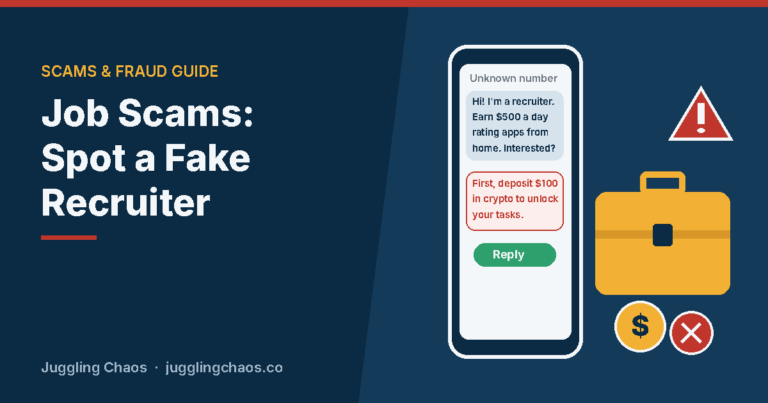
- The other person wants to move the conversation off the marketplace, to text, WhatsApp or email, right away.
- They insist on payment by gift card, wire transfer, cryptocurrency or a payment app to someone you don’t know. The FTC says paying this way is like sending cash.
- They won’t meet in person, won’t video call to show the item, or always have a reason to rush.
- The profile is brand new, has no friends or reviews, or the photos appear elsewhere online. A reverse image search can show if the pictures were copied.
- They ask for a verification code, your email login or personal details that a sale doesn’t need.
- They send links to “secure checkout,” “escrow” or “delivery” pages outside the marketplace.
How to buy safely
- See it before you pay. For local sales, meet, inspect and test the item, then pay. Don’t send deposits for items you haven’t seen.
- Use protected payment. If the marketplace offers its own checkout with purchase protection, use it. Otherwise, a credit card gives you the strongest dispute rights. The FTC advises avoiding payment methods that are hard to reverse.
- Look up the seller. Check how long the profile has existed, its ratings and other listings. Search the seller’s name and phone number with the word “scam.”
- Check big-ticket items. For a car, run the vehicle identification number (VIN) through the National Insurance Crime Bureau’s free VINCheck, which shows whether participating insurers have reported it stolen or salvaged. It isn’t a full history report, so also get an independent inspection. For phones, ask for the IMEI number and check with the carrier that it isn’t reported lost or stolen.
- Keep the conversation on the platform. Messages sent through the marketplace can help if you need to report a problem.
How to sell safely
- Get paid before the item leaves your hands, and confirm the money inside your bank or payment app, not from an email or screenshot.
- Prefer cash for local sales. The FTC suggests meeting local buyers and taking cash where you can. For larger amounts, meet at the buyer’s bank and watch the withdrawal.
- Never refund an overpayment and never accept a check for more than your asking price.
- Never share a texted code, even if the buyer says it’s to confirm you’re a real person.
- Leave out personal details. Don’t post your home address in a listing, and use the platform’s messaging instead of your personal email.
Meeting in person safely
- Meet in a busy public place during the day. Many police stations have a well-lit “safe exchange zone” in the parking lot or lobby; call your local non-emergency line to ask.
- Bring a friend, and tell someone where you’re going and when you’ll be back.
- For large items you must sell from home, keep the item in the garage or driveway, have someone else at home, and don’t invite buyers inside.
- Trust your instincts. If plans keep changing or something feels off, cancel.
If you already paid or got scammed
- Contact the payment provider right away. If you paid by credit or debit card, call your card issuer and ask to dispute the charge. If you used a payment app, report it inside the app. See Payment App Scams for what to expect.
- Report the listing and the profile to the marketplace so it can be taken down.
- If you shared a code or password, change the password on that account, turn on two-step verification and check for a Google Voice or other number linked to yours. Our account takeover guide walks through it.
- Report the scam to the FTC at ReportFraud.ftc.gov and to your state attorney general.
- Beware of “recovery” offers. Anyone who contacts you promising to get your money back for a fee is running a second scam.
Talking with teens and older relatives
Teens often buy sneakers, game consoles and concert tickets from strangers online, and older relatives may be new to selling on social media. Agree on a few family rules: never pay before seeing the item, never pay by gift card or crypto, never share a code, and always meet in a public place with someone else. Offer to look over any listing that seems too good to be true.
Checklist
- I see and test the item before I pay.
- I pay through the marketplace’s checkout or by credit card, never by gift card, wire or crypto.
- I confirm payments inside my bank or app, not from emails or screenshots.
- I never refund overpayments or share verification codes.
- I meet in a busy public place, with someone else along.
- I keep messages on the platform and report suspicious profiles.
FAQ
Is it safe to use a payment app on Facebook Marketplace?
It’s safe with people you know. With strangers, payment apps usually offer little or no protection if the item never shows up. If you use one as a buyer, only pay when you have the item in hand. As a seller, confirm the money arrived inside the app before you hand anything over.
Why does a buyer want me to send them a code?
Because the code lets them do something in your name, such as create a Google Voice number tied to your phone or sign in to one of your accounts. No real buyer needs it.
The seller wants a deposit to hold the item. Should I pay?
For local sales, no. Legitimate local sellers can wait for you to see the item. Deposits for items you haven’t seen are one of the most common ways people lose money.
Can I get my money back from a marketplace scam?
It depends on how you paid. Credit cards and a marketplace’s own checkout give you the best chance. Gift cards, wire transfers and crypto are very hard to recover, so report quickly either way.
Related guides
- Fake Online Stores and Social Media Shopping Scams
- Payment App Scams: How to Use Zelle, Venmo and Cash App Safely
- Fake Check and Overpayment Scams
- Ticket Scams: How to Buy Concert and Event Tickets Safely
- Get Help Now After a Scam or Hack
Sources
- Federal Trade Commission, “Buying From an Online Marketplace,” consumer.ftc.gov, accessed November 6, 2026.
- Federal Trade Commission, “Selling stuff online? Here’s how to avoid a scam,” consumer.ftc.gov, accessed November 6, 2026.
- Federal Trade Commission, “Online Shopping,” consumer.ftc.gov, accessed November 6, 2026.
- National Insurance Crime Bureau, VINCheck, nicb.org, accessed November 6, 2026.
This is general information, not legal or financial advice. If you lost money, contact your bank or payment provider right away and report the scam at ReportFraud.ftc.gov.
Get one safety checklist a month
Juggling Chaos Monthly is free: one 15-minute checklist, one scam warning sign, and our newest guides. Sign up on the newsletter page.
Juggling Chaos will never ask for a password, payment, gift card, or verification code. Guides are general information, not legal or financial advice; see our Disclaimer and Terms and Editorial Policy.
Where this information comes from: This guide is built from official sources, such as U.S. government consumer agencies and the companies’ own help pages and policies, linked in the guide where they are used. I looked it over myself before publishing. I’m not a lawyer or a security professional; like many parents and caregivers, I’m learning as I go, so check the official source before a big decision. How these guides are made.